Time Entry Approvals
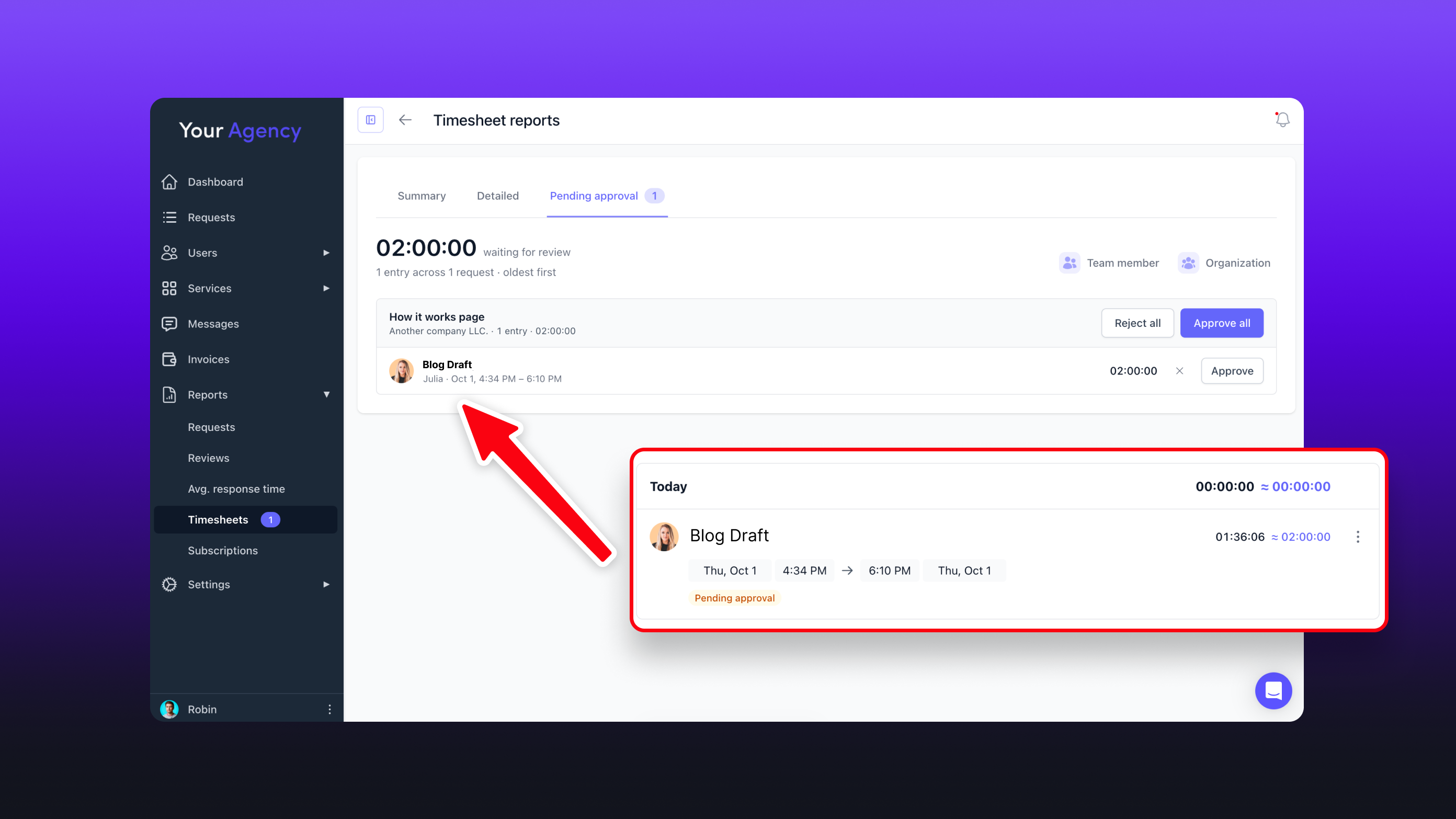
Team time entries can now require approval before they count toward tracked time.
When enabled, new time entries stay pending until approved. Pending or rejected entries won't count toward totals, reports, exports, or client balances.
Admins and portal admins can approve time by default, and approval permissions can be given to other team roles. Approvals can be managed directly from a request's Timesheet tab or in bulk under Reports → Timesheet reports → Pending approval.
Enable it under Settings → Modules and extensions → Requests → General → Require approval for team time.
Time synced from Hubstaff follows the same approval rules.